
An online pharmacy shop your patients will actually use.
Turn the patients already walking in into customers who order from you at home, with a pharmacist checking every P medicine.
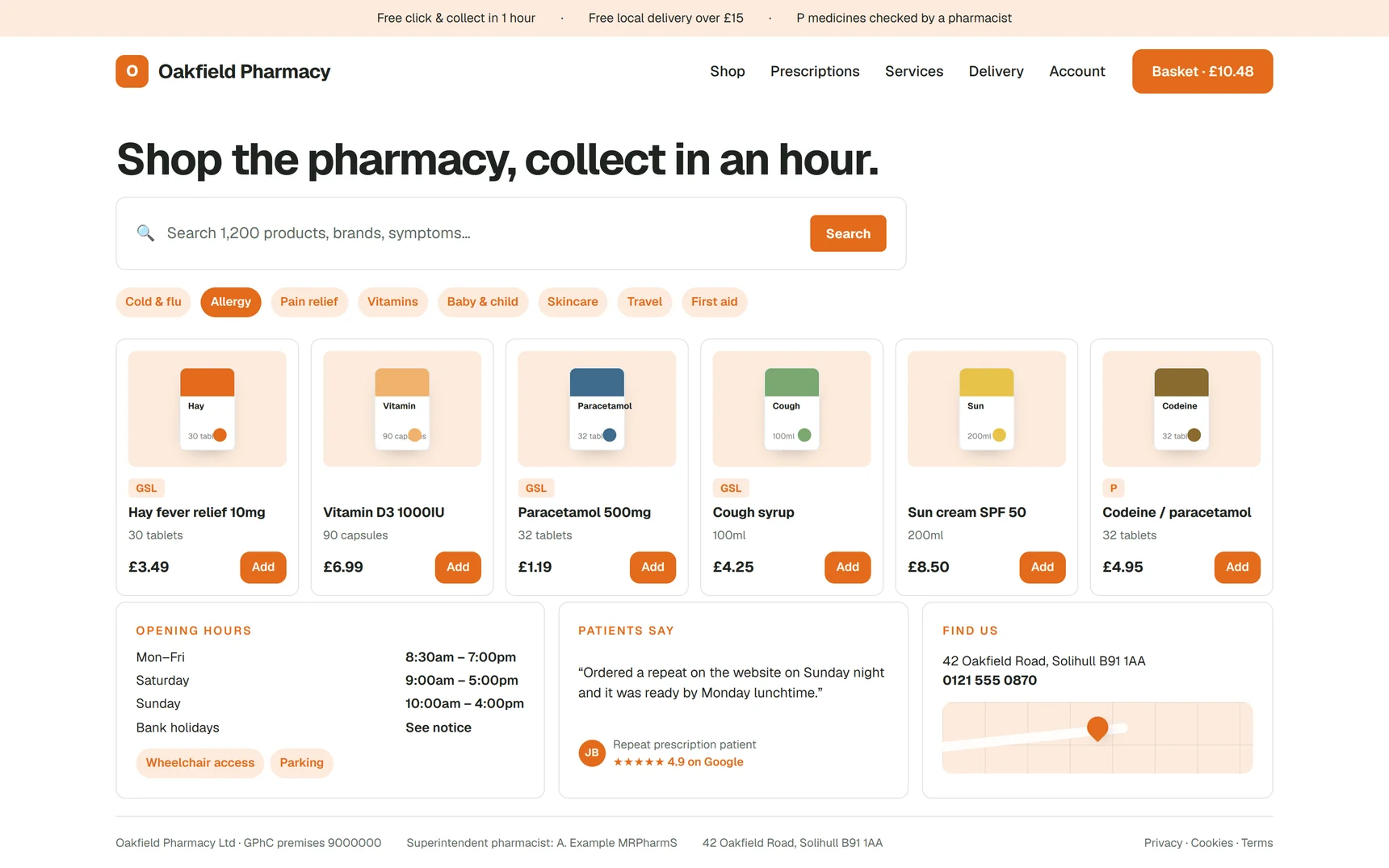
Collection-led, local by design.
A community pharmacy will not out-ship the national retailers, and a shop that pretends otherwise loses money on postage. This one is built for the patterns that work.
- Click and collect any time, or delivery on the round you already run
- Free delivery within a radius you set, checked by postcode at checkout
- Counter prices matched online, with quantity discounts to encourage the switch
- Order management in the same dashboard as nominations and bookings
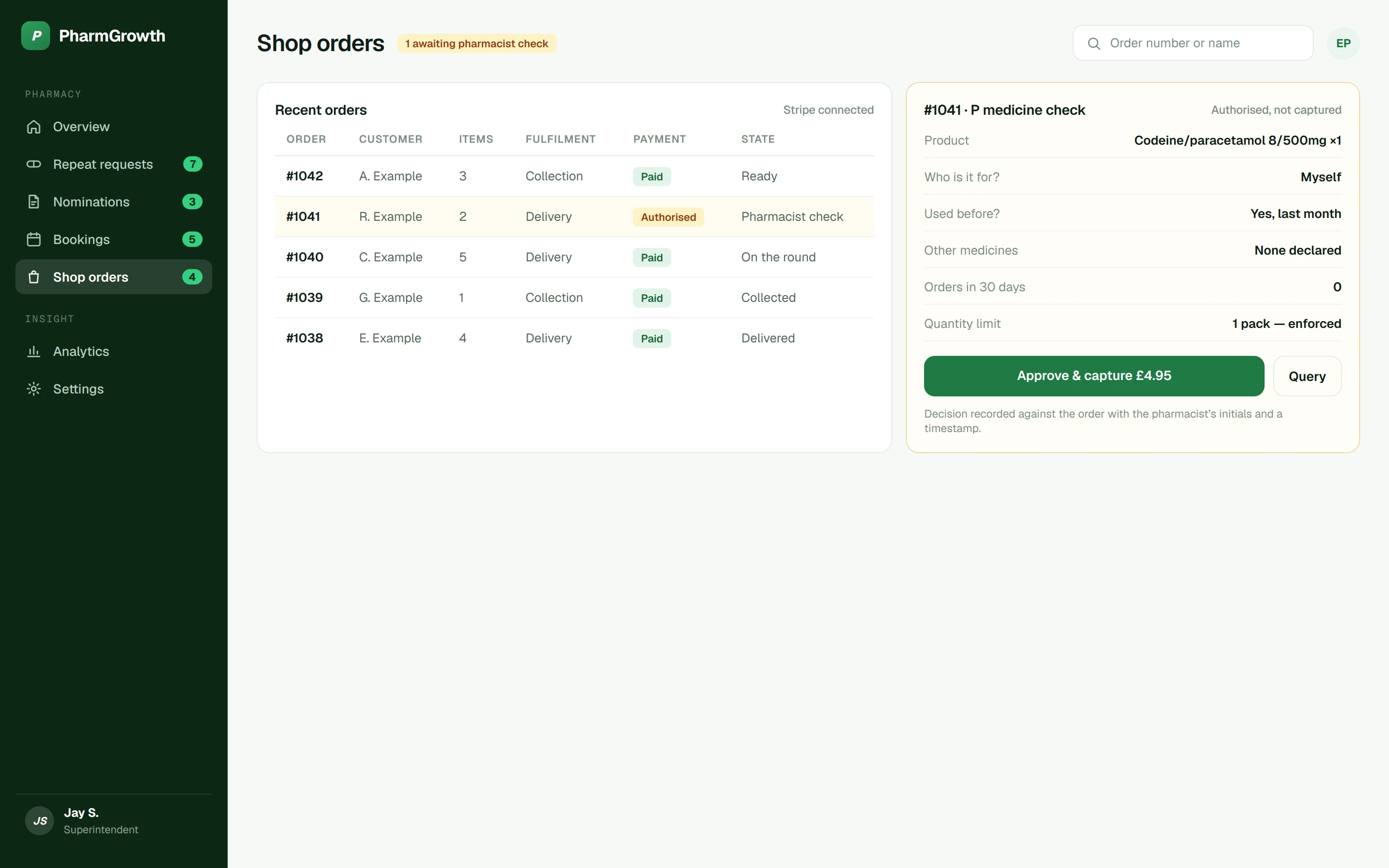
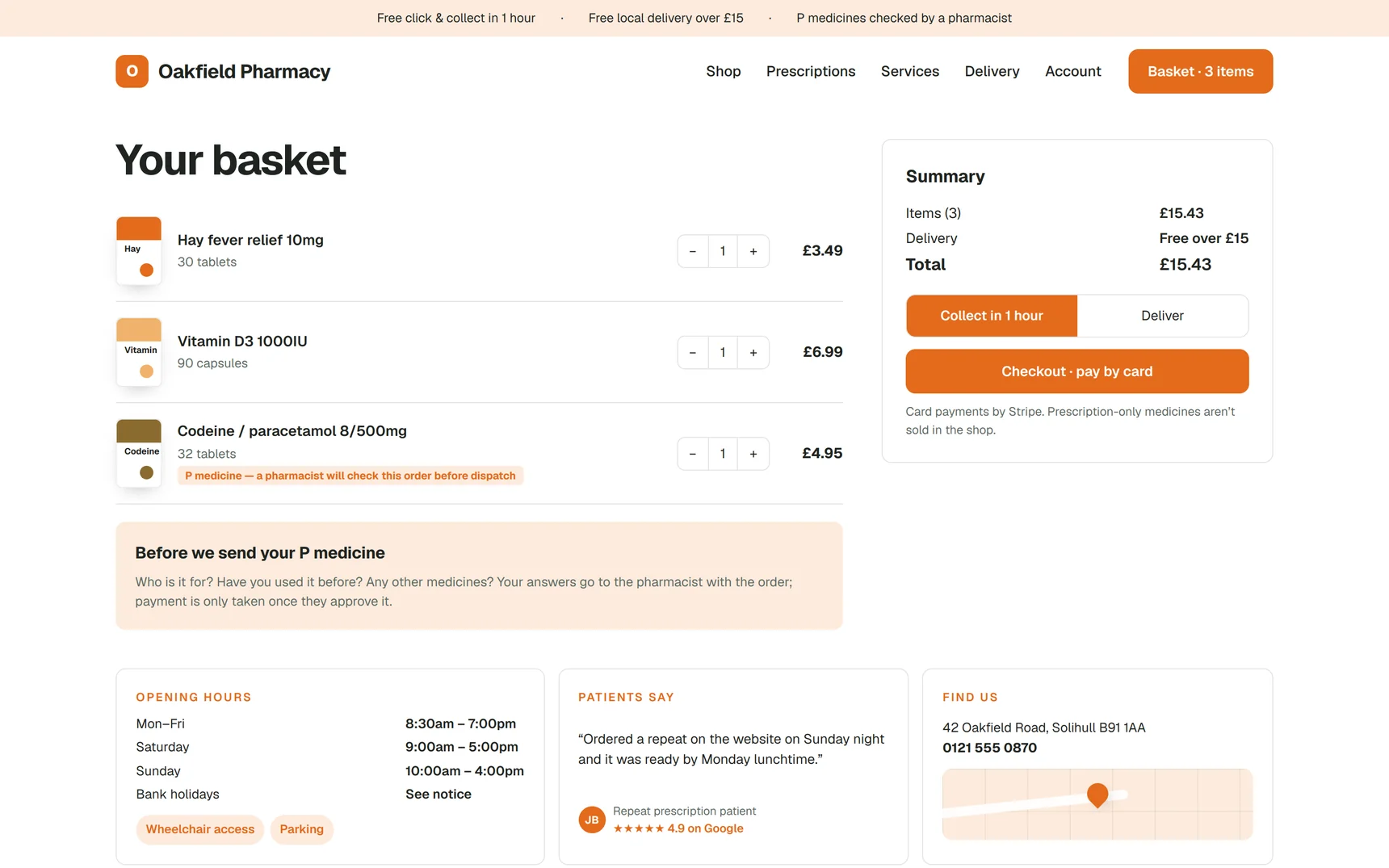
P medicines with a pharmacist in the loop.
The one thing a generic e-commerce platform cannot do is pause for a professional decision. The PharmGrowth shop does it with authorise-then-capture.
- P lines flagged in the catalogue with per-product quantity limits enforced at basket level
- Checkout questions for each P item, shown to the pharmacist with the order
- Card authorised at checkout; payment captured only when the pharmacist approves
- Declined orders release the authorisation and tell the patient why
- The decision recorded against the order; seller disclosures in the shop terms
See the shop with your own products in it.
Send us your product list and we will build the demo shop alongside the website. Nothing to pay until you have seen it working.
Ecommerce: questions owners ask
01What can I sell?
General Sale List and Pharmacy (P) medicines, and non-medicinal products. Prescription-only medicines are not sold through the shop and cannot be listed.
02How are P medicines handled?
P lines are flagged with per-product quantity limits. At checkout the patient answers a short set of questions, the card is authorised but not charged, and the order waits in your dashboard for a pharmacist to approve. Payment is captured only on approval and the decision is recorded.
03Where does the money go?
Into your own Stripe account, settling to your bank on Stripe’s normal schedule. PharmGrowth never holds your takings.
04How do I add products?
Bulk import from a spreadsheet, a barcode scanner for adding and updating stock at the counter, and an inline editor for images, prices and quantity discounts.
05What does it cost?
The shop is part of PharmGrowth Plus: £129.95 a month with a one-off £399 setup, including the website, service pages, forms and dashboard it runs on.
Read before you decide
Should your pharmacy sell online? An honest look at pharmacy e-commerce
When pharmacy e-commerce works, when it quietly fails, what you can sell, and the four jobs someone has to own before you launch a shop.
Read the guideComplianceWhat can a UK pharmacy legally sell online? GSL, P and POM explained
GSL, P and POM medicines and what a registered pharmacy in Great Britain can sell through an online shop, with the GPhC, MHRA and consumer-law points that apply.
Read the guideComplianceSelling P medicines online: how pharmacist supervision shapes the checkout
The GPhC expectation for online P medicine sales and the authorise-then-capture checkout that meets it without slowing down other orders.
Read the guide